
What JobLiftr Does: Turn Job Site Photos Into Marketing Content in Minutes
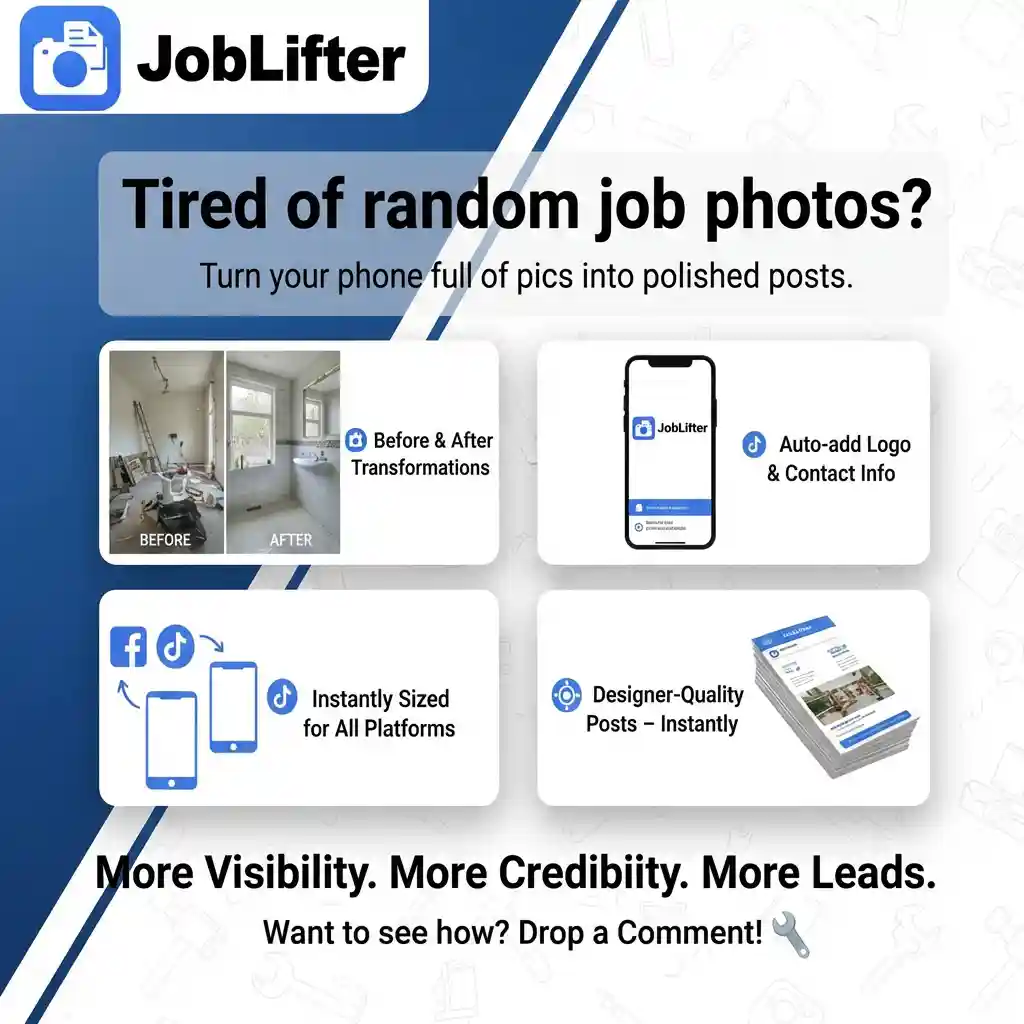
JobLiftr is a tool that turns your job site photos into professional social media posts and marketing content. You upload photos from jobs you completed, add a quick description of what you did, and get back branded posts ready to share on Facebook, Instagram, or your Google Business Profile.
The whole point is less time marketing, more time on jobs. It’s built for busy contractors who want consistent posting without needing design skills or spending hours creating content.
The Problem Most Contractors Actually Have
You do great work. You take photos on your phone. Those photos sit in your camera roll doing nothing.
When you do remember to post something, you throw up a random photo with a caption like “Another satisfied customer!” That gets maybe three likes from your family and nobody else sees it because the algorithm doesn’t show low-engagement posts to more people.
The real issues are time, not knowing what to post, and not wanting to mess with design software. You’re not a graphic designer. You’re a contractor who knows posting on social media matters but doesn’t have two hours to learn Canva every time you want to share a completed job.
If you can take photos, you can market your business. You just need the gap between raw photos and professional posts filled by something that doesn’t require a marketing degree.
What JobLiftr Is In Plain English
JobLiftr helps contractors document their work and generate social media and blog content from it. It takes raw job photos and turns them into polished content fast without needing a designer or marketing person.
You’re not hiring someone to manage your social media. You’re using a tool that makes content creation take 5-10 minutes instead of an hour. The photos are from jobs you already completed. The work is already done. JobLiftr just handles the formatting and presentation.
How JobLiftr Works – Three Simple Steps
Upload Your Job Photos
Before-and-after shots work best. Progress photos showing different stages. Finished hero photos that show the completed project.
You already take these photos to show customers or document the work for your records. Upload those same photos to JobLiftr. That’s it. No special photography required.
Add a Quick Note
This step is optional but helpful. What did you do? Why did it matter – was it a safety issue, curb appeal upgrade, emergency repair, preventive maintenance?
Any special details worth mentioning: timeline, materials used, specific problem you solved. A couple sentences is plenty. This gives the tool context to create better captions and descriptions.
Generate Ready-to-Post Content
JobLiftr creates social post graphics formatted correctly for different platforms. It writes captions that make the photos make sense instead of generic “another job done” text. It can generate blog-style writeups based on the job if you want content for your website.
The posts include your logo and contact information so every post is branded. Someone sees your post, they know who did the work and how to reach you.
Core Features Contractors Care About
Before-and-after photos turn into professional-looking posts with proper layouts. Your logo and contact info get added automatically so every post reinforces your brand. Images get sized correctly for Facebook, Instagram, Google Business Profile – you’re not manually resizing photos for each platform.
Captions actually explain what you did instead of relying on viewers to interpret the photos themselves. The tool is built specifically for service businesses to collect job photos and turn them into marketing content.
Some versions let you collect testimonials tied to specific jobs, so you can create posts showing the work plus what the customer said about it. Proof plus social proof in one post.
The Real Benefits – What This Changes for Your Business
You Post More Consistently
Consistency beats posting seven times one week then nothing for a month. When creating content takes 10 minutes instead of an hour, you actually do it regularly instead of treating it like a special project you’ll get to eventually.
Regular posting trains the algorithms to show your content to more people. Sporadic posting means starting from zero visibility every time.
You Look More Professional
Branded visuals make you look established even if you’re a small crew. A well-designed before-and-after post with your logo looks like a company that has their act together. A random iPhone photo with no context looks amateur.
First impressions matter. Someone scrolling through search results sees your professional-looking posts and your competitor’s blurry photos. Who looks more trustworthy?
Homeowners Trust You Faster
People want proof you can do quality work. Before-and-after photos are proof. Testimonials are proof. Case studies showing problems you solved are proof.
Generic “we’re the best contractor” claims mean nothing. Photos of actual work you completed mean everything. JobLiftr makes it easy to show that proof consistently.
You Stay Top of Mind
The contractor who shows up online regularly feels active and in-demand. Someone sees your posts every week for three months, then needs your services. Who do they call? The contractor they’ve been seeing regularly or the one they have to search for?
Visibility creates familiarity. Familiarity creates trust. Trust creates phone calls.
More Leads Without Paying for Ads
More visibility leads to more messages which leads to more estimates. Organic reach from consistent quality posts generates leads without ad spend.
Not saying you shouldn’t run ads. But organic content is free beyond the time investment, and JobLiftr reduces that time investment to where it’s actually sustainable.
Best Types of Posts to Create With JobLiftr
Before-and-after transformations show dramatic improvements. These consistently get the most engagement because the visual impact is immediate.
Problem-to-fix-to-result posts tell the story. Here’s what was broken. Here’s what we did. Here’s the outcome. People connect with stories more than just finished product photos.
Quick educational posts explaining what customers should know. Common problems in your trade, when to call a professional versus trying DIY, seasonal maintenance tips. This positions you as an expert instead of just someone begging for work.
Seasonal reminders tied to weather or time of year. Storm damage prevention before hurricane season. Frozen pipe prevention before winter. Irrigation system checks in spring. These posts are timely and relevant.
Proof posts combining reviews or testimonials with photos from that specific job. The customer’s words plus visual evidence of the work creates powerful social proof.
Who JobLiftr Is For
Tree service companies – you already take photos of hazardous trees, removal process, and clean sites. Those turn into dramatic before-and-after posts showing risk mitigation.
Fence contractors – installation progress photos and finished fences from multiple angles become posts showing craftsmanship and material options.
Concrete companies – driveway replacements, patio installations, foundation repairs document well visually and demonstrate expertise.
Roofing contractors – roof damage, tear-off, installation, final product. Every roof job has natural before-and-after potential.
HVAC techs – old failing units versus new efficient systems. Ductwork repairs. Seasonal maintenance posts.
Plumbers – leak damage, pipe repairs, fixture installations, water heater replacements all photograph well.
Remodeling contractors – kitchen and bathroom transformations are Instagram gold. The visual transformation sells itself.
Painters – exterior and interior paint jobs show immediate dramatic improvement in before-and-after format.
Junk removal – loaded truck photos and clean spaces after removal show the service value clearly.
Landscapers – overgrown yards versus maintained properties. Seasonal transformations. Hardscape installations.
Quick Tips to Get Better Results Even If You Hate Marketing
Take five photos per job minimum: wide before shot, close-up of the problem, mid-progress, wide after shot, detail shot of finished work. This gives you options for different post types.
Use the same visual style every time. Branding creates recognition. When someone sees your posts, they should immediately know it’s you based on the consistent look.
Post 2-3 times per week instead of dumping ten posts at once. The algorithm rewards consistency, not volume dumps followed by silence.
Keep captions simple. What you did, where you did it, why it mattered, call or text for quote. Don’t overthink it. Simple and clear beats clever and confusing.
Common Questions About JobLiftr
Do you need design skills? No. The tool handles formatting and layout. You provide photos and basic information about the job.
What if your photos aren’t perfect? Phone camera quality is fine if you have decent lighting and steady hands. The tool can’t fix a blurry dark photo but it can make a decent photo look professional.
How fast can you make a post? Five to ten minutes once you’re familiar with the process. Upload photos, add job details, generate content, download and post.
Can you use it across multiple crew members and jobs? Yes. Document jobs as your team completes them, generate content for each one, maintain a consistent posting schedule.
Will this help your website? Absolutely. Use the generated content as project examples on your site. The photos and descriptions JobLiftr creates work as portfolio content, not just social posts.
Start Turning Your Work Into Marketing
You already do the work. You already take the photos. JobLiftr fills the gap between having content and having content that’s ready to post.
Want to see what your job photos look like as branded posts? Try JobLiftr and turn your next completed job into marketing content the same day you finish it.